
IMPROVE
EXPERIENCE
COLLABORATE
ABOUT
DISCOVER
FRI 16.10.26
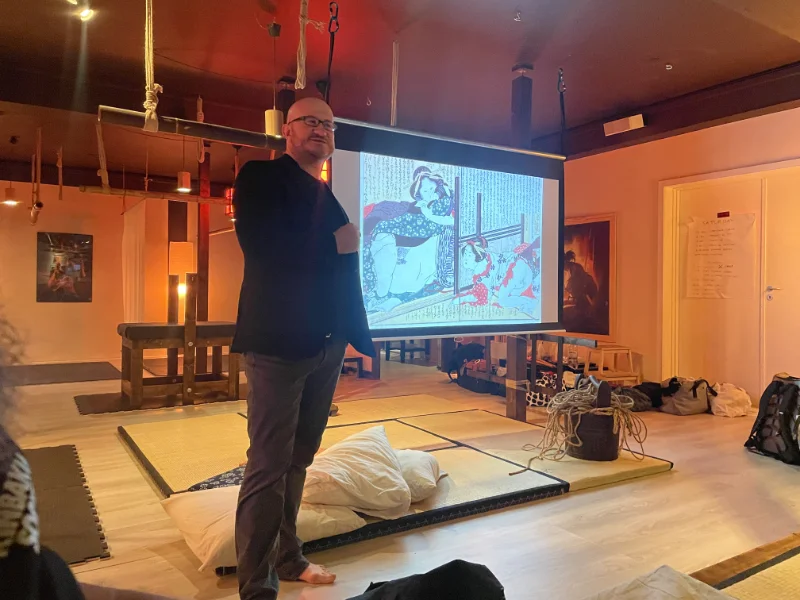
Kinbaku Salon is for everyone curious about the origins and history of Japanese bondage – Kinbaku or Shibari – for those who love underground arts and culture, and for anyone who wants to socialize in an inspiring environment.
Questions?
Feel free to contact Bop.
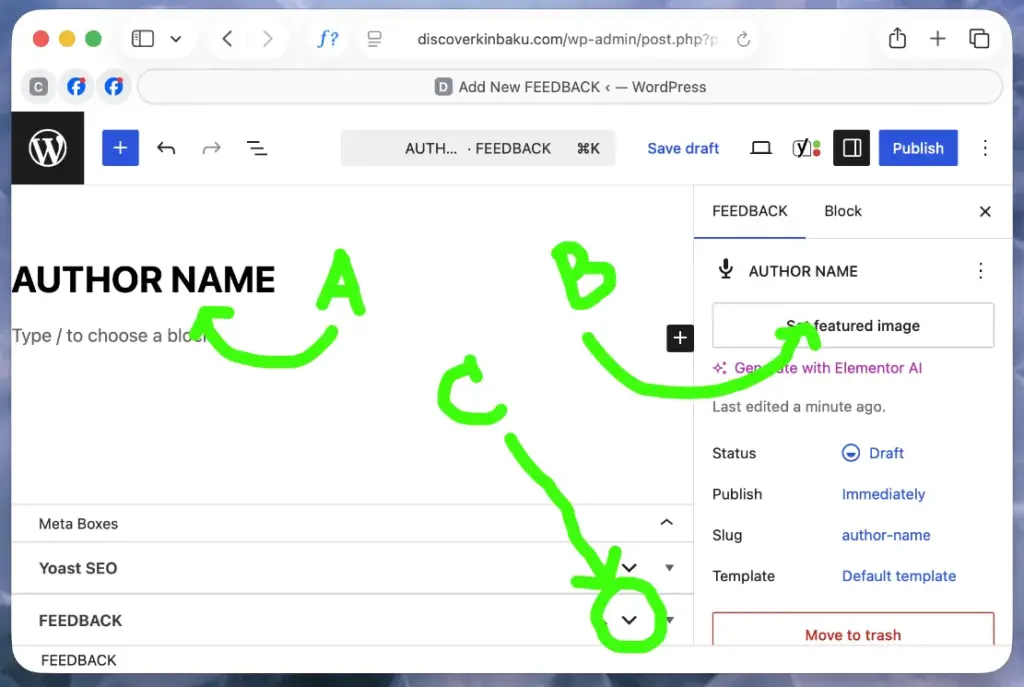
Go to ‘FEEDBACKS’ in left sidebar en click ‘Add New Feedback’
A | Insert name author in Capital and lowercase.
B | ‘Featured image’ : choose number of stars pic in Media Library. Chance that they may be on the bottom below a pile of pix … (first uploaded).
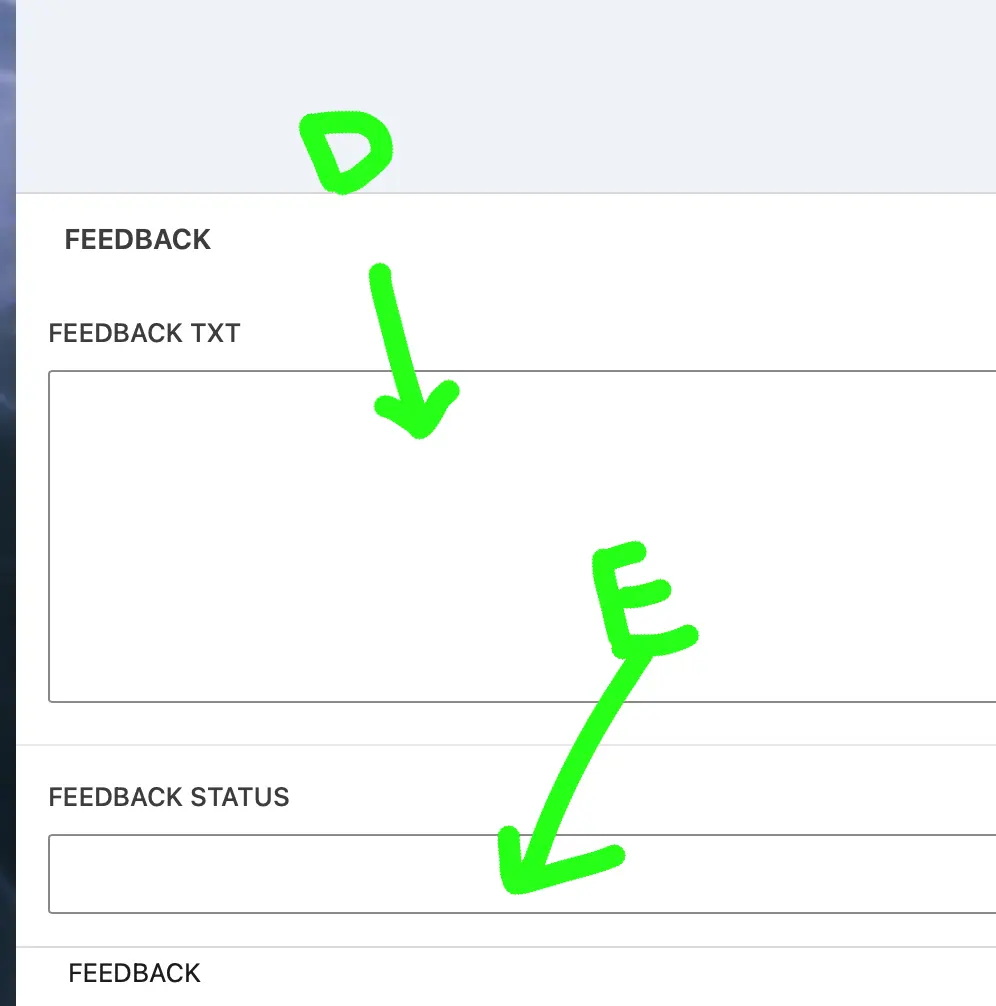
C | Click ‘feedback’ arrow and scroll all the way down: in the beginning, it takes a bit of getting used to (keep your cool). Or zoom and share screen, then I’ll show you the way.
D | Paste UNFORMATED review.
E | Insert ‘rigger, sub, bottom, pet, …’.
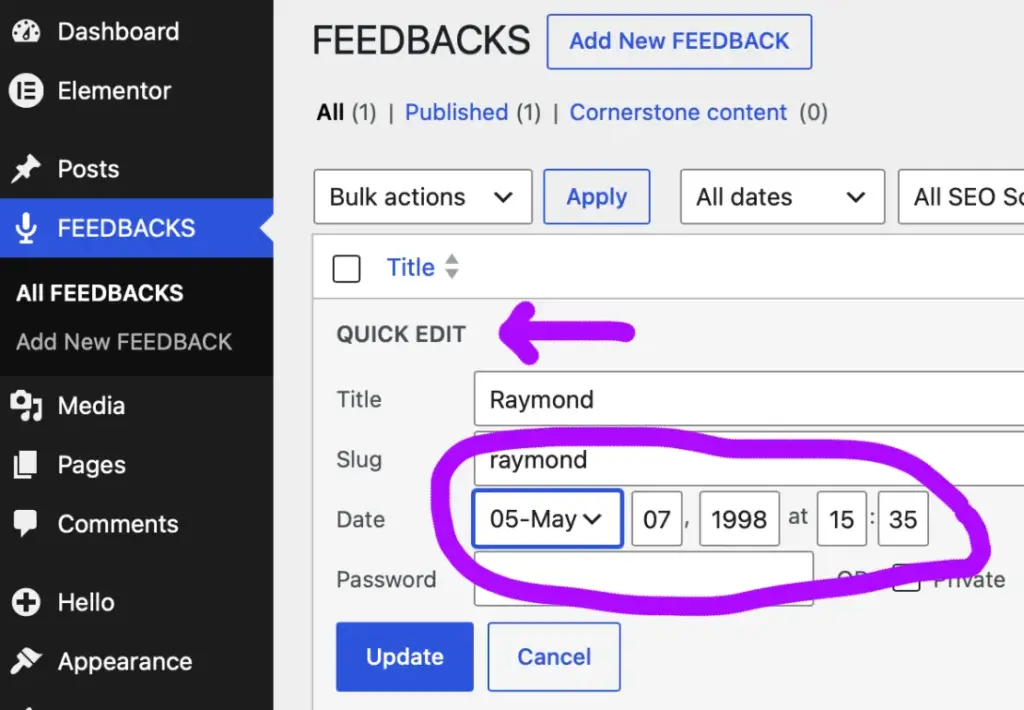
Click ‘All FEEDBACKS’ in the left sidebar, choose + click a feedback post + click ‘QUICK EDIT’: you can easily change the date for chronological order + save all.